
Touch into the Brilliance of 3K Streaming
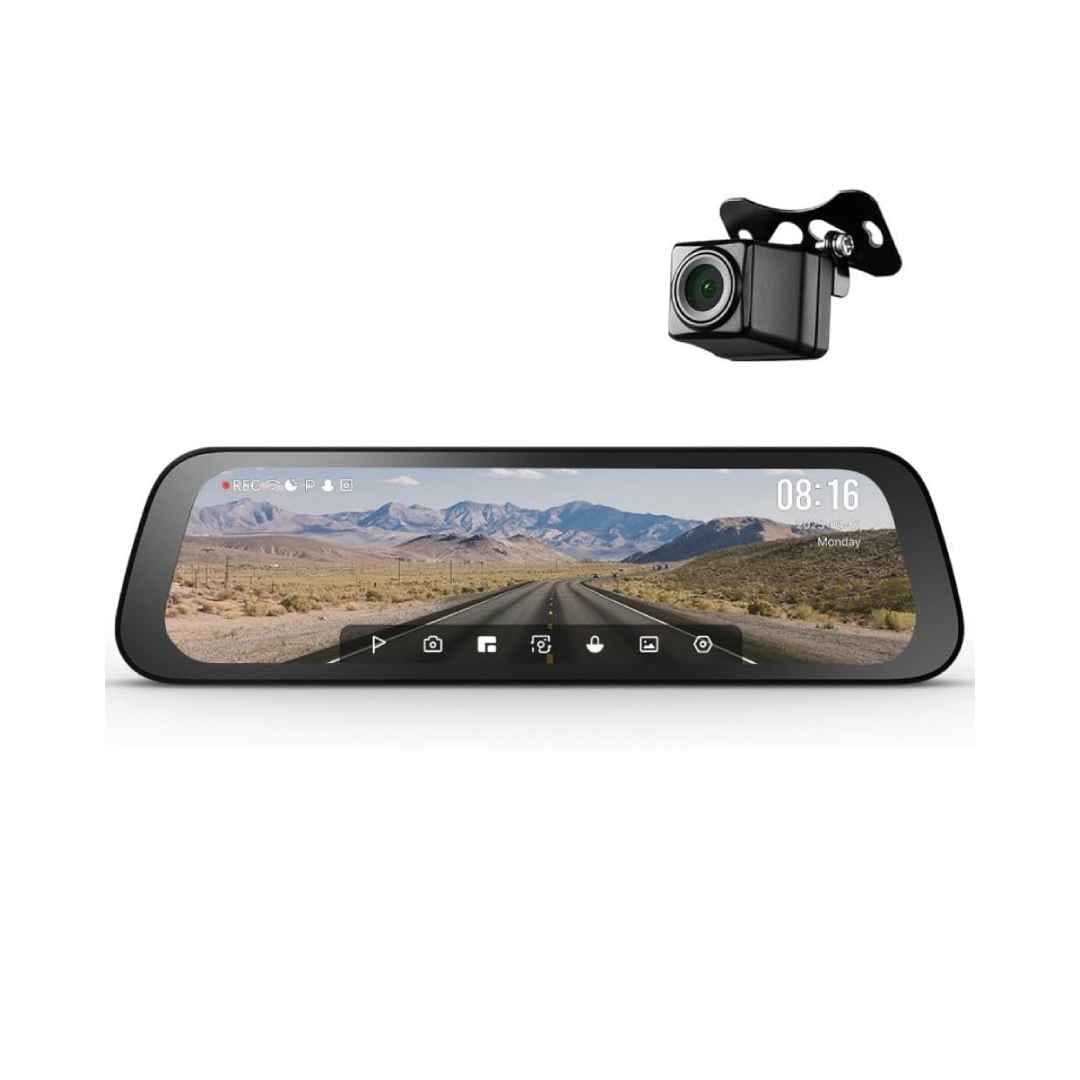
The 70mai Rearview Dash Cam S500 Set transforms your vehicle’s standard rearview mirror into a smart, high-performance dash cam with a large 9.35-inch full-laminated IPS touch screen, delivering crystal-clear real-time views and replacing traditional mirror limitations for an expansive, unobstructed rear perspective. Featuring stunning 3K HDR (2592 x 1944) front recording powered by the Sony STARVIS 2 IMX675 sensor for exceptional clarity and low-light performance, paired with an included IP67 waterproof rear camera for Full HD HDR coverage, it provides dual-channel protection with superior night vision via 70mai Night Owl Vision.
Easy strap-on installation fits most mirrors, with voice control for hands-free operation, automatic reversing assist lines, built-in Wi-Fi for seamless 70mai app connectivity (live view, downloads, and sharing), super capacitor for extreme temperature resistance, and 24-hour smart parking surveillance (with optional hardwire kit for collision detection and time-lapse), making it an ideal all-in-one solution for enhanced safety, convenience, and evidence on every drive.
Key Features
9.35-inch Full-Laminated Touch Screen
The expansive 9.35-inch IPS full-laminated touch screen replaces the traditional rearview mirror, providing a crystal-clear, wide-angle real-time rear view that eliminates blind spots and offers intuitive touch controls for seamless operation and multi-view display options.
3K HDR Dual-Channel Recording
Powered by the Sony STARVIS 2 IMX675 sensor, the front camera captures sharp 3K HDR (2592 x 1944) footage, while the included rear camera delivers Full HD HDR, ensuring vibrant colors, balanced exposure, and exceptional detail in both day and night conditions.
Super Capacitor Durability
Equipped with a super capacitor instead of a traditional battery, the S500 withstands extreme temperatures and harsh weather, offering greater reliability, longer lifespan, and safer performance without the risk of battery swelling or failure.
Voice Control and Reversing Assist
Hands-free voice commands allow easy control for taking photos, locking videos, or switching views, while automatic parking assist lines appear when reversing (with customizable options), making maneuvers safer and more convenient.
24-Hour Smart Parking Surveillance
With an optional hardwire kit, the built-in G-sensor enables continuous parking monitoring, including collision detection with automatic recording and time-lapse mode to save storage, providing round-the-clock vehicle protection and alerts.
What’s in the Box
- 70mai Rearview Dash Cam S500 main unit
- Backup rear camera
- Fixing straps
- Car charger
- Power cord
- Wiring crowbar/pry tool
- Mounting screws
- User manuals
FAQs
How do I install the 70mai Rearview Dash Cam S500 on my car’s mirror?
The S500 uses a simple strap-on design that fits most standard rearview mirrors. Secure it by placing the unit over your existing mirror and tightening the included elastic rubber straps at the back. No tools are required for the main unit; route the power cable discreetly along the headliner, and connect the rear camera cable if using the backup view.
Does the S500 support 24-hour parking surveillance?
Yes, with the optional 70mai Hardwire Kit (UP02 or compatible), the dash cam can monitor your vehicle continuously when parked. The built-in G-sensor triggers emergency recording on impacts, and time-lapse mode records at low frame rates to save storage space while providing coverage.
What type and size of microSD card is recommended for the S500?
The S500 supports microSD cards from 32GB to 128GB (some versions up to 256GB) with a minimum U3/Class 10 speed rating for reliable HDR recording. Use high-endurance cards from reputable brands like Samsung, SanDisk, or the official 70mai card, and always format the card in the dash cam before first use.
How does the rear camera work and how do I install it?
The included IP67 waterproof rear camera provides a live rear view on the touch screen and records in Full HD HDR. Mount it externally above the license plate using the provided screws, route the cable through the vehicle (using the pry tool), and connect it to the main unit. When reversing, the screen automatically switches to the rear view with adjustable parking assist lines.

Reviews
There are no reviews yet.