
Go Brother, Print Without Wires
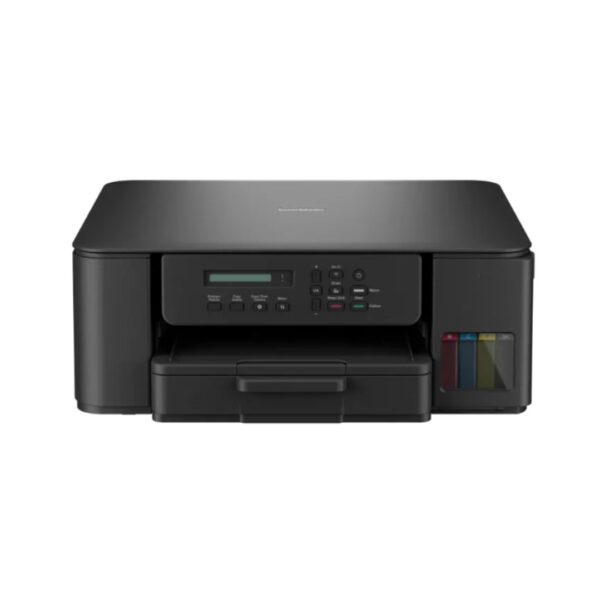
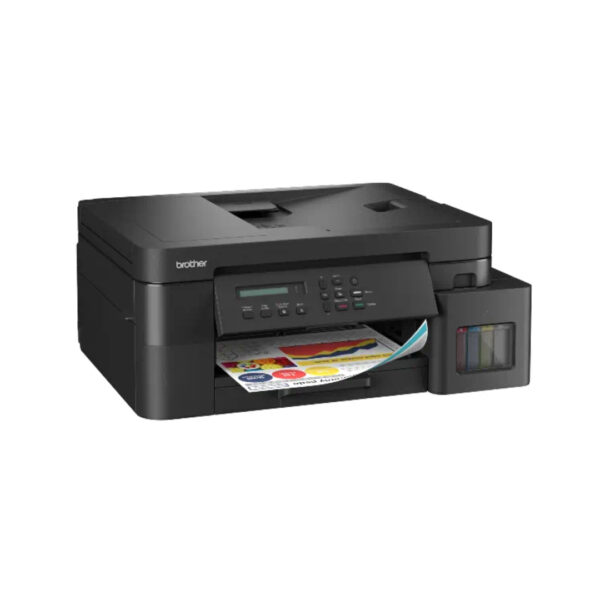
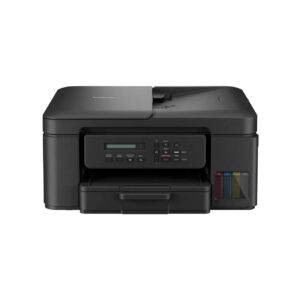
The Brother DCP-T430W Ink Tank Printer (commonly referenced in wireless product lineups as the DCP-T430W) is a versatile 3-in-1 multifunctional device engineered for cost-effective printing, scanning, and copying in busy home offices and small workspaces. Built around an ultra-high-yield refillable ink tank system, it features transparent front-facing windows for effortless fluid monitoring and mess-free bottle refills that deliver thousands of sharp pages at an extremely low cost per page. With print speeds of up to 16 ipm for monochrome and 9 ipm for color, alongside a 150-sheet enclosed paper tray to shield paper from dust, it handles high-volume tasks with ease. Enhanced by built-in Wi-Fi and Wi-Fi Direct support, the DCP-T430W enables seamless mobile printing and scanning via the Brother Mobile Connect app, combining wireless convenience with heavy-duty desktop productivity
Key Features
Seamless Wireless Connectivity
Built-in Wi-Fi and Wi-Fi Direct allow multiple users to connect effortlessly from laptops, smartphones, or tablets without messy cables. You can print and scan remotely using the Brother Mobile Connect app from anywhere in your home or office.
High-Yield Refill Tank System
The integrated front-facing ink tank system provides simple, mess-free refills while significantly dropping the cost per printed page. Transparent tank covers let you check ink levels at a glance so you never run out mid-job.
Fast Print Speeds
Print speeds reaching up to 16 images per minute for mono and 9 images per minute for color ensure rapid document completion. Fast first-page-out performance cuts down waiting time for everyday business reports and student projects.
Enclosed Dust-Free Paper Tray
A 150-sheet enclosed bottom cassette keeps your paper stock clean and protected from dust and humidity. The enclosed tray design prevents paper feed jams and supports multiple standard document sizes effortlessly.
Complete 3-in-1 Multifunctionality
This compact unit merges high-resolution printing, flatbed scanning, and multi-page copying into a single space-saving footprint. It delivers a comprehensive document handling solution tailored for small office and work-from-home setups.
What’s in the Box?
- Printer
- Power Cord
- Quick Setup Guide & User Manual
FAQ’S
How do I connect the Brother DCP-T430W to my Wi-Fi network?
You can set up the wireless connection easily using the Brother Mobile Connect app on your smartphone or via the setup software on your computer. If your router supports WPS, you can also press the Wi-Fi button on the printer and the WPS button on your router for instant pairing.
Can I print directly from my smartphone or tablet?
Yes, the printer supports direct mobile printing and scanning through the free Brother Mobile Connect app. It also supports Wi-Fi Direct, which allows your mobile device to connect directly to the printer even if you do not have a home or office router.
How many pages can I print with the included ink bottles?
The inbox ink bottles yield up to 7,500 pages in black and up to 5,000 pages in color based on standard ISO test patterns. This ultra-high yield allows you to print thousands of documents before needing your first ink replacement.
Can multiple computers share this printer on the same network?
Yes, once the printer is connected to your local Wi-Fi network, any laptop, desktop, smartphone, or tablet connected to that same network can send print jobs and scan documents without needing physical cables.
What should I do if the printout has streaks or missing colors?
You can run a print head cleaning cycle directly through the Brother Mobile Connect app on your phone or via the printer driver utility on your PC. Running 1 to 2 cleaning cycles usually clears dried ink from the print head nozzles and restores full print quality.

Reviews
There are no reviews yet.