
Go Brother, Print Unstoppable.
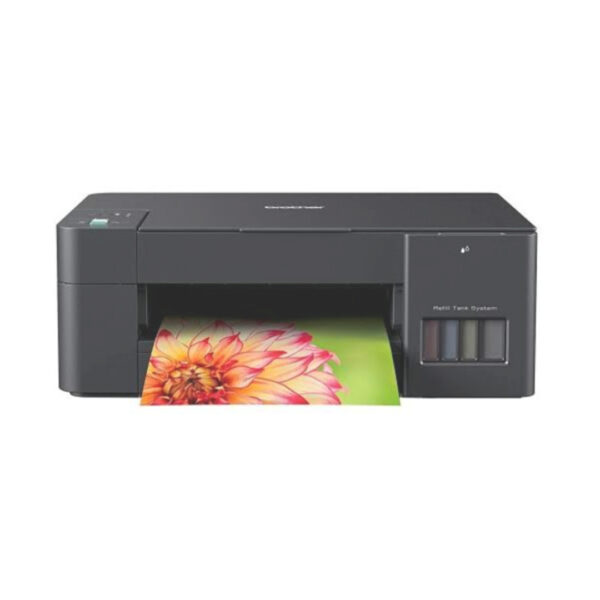
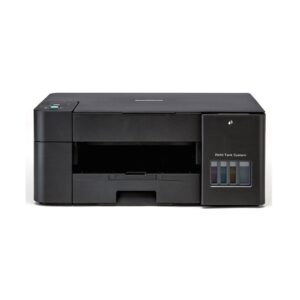
The Brother DCP-T230 Ink Tank Printer is a compact, cost-effective 3-in-1 multifunctional device designed for reliable printing, scanning, and copying in home offices and small business environments. Built around a high-yield refillable ink tank system, it features a transparent front-facing tank enclosure that allows you to easily monitor fluid levels while offering mess-free, spill-proof ink bottle refills. With print speeds of up to 16 images per minute for mono and 9 images per minute for color, alongside a high-capacity 150-sheet enclosed paper tray to protect sheets from dust, it handles high-volume document workflows with ultra-low cost per page. Connecting seamlessly via Hi-Speed USB 2.0, the DCP-T230 delivers sharp, vibrant outputs on various media types, making it a space-saving and economical workhorse for daily productivity.
Key Features
High-Yield Refill Tank System
The integrated front-facing ink tank system allows for clean, hassle-free bottle refills while drastically reducing the overall cost per printed page. Clear front window panels give you instant visibility into fluid levels so you can top up ink before running out during high-volume print runs.
Efficient 3-in-1 Multifunctionality
Combining print, scan, and copy capabilities into a single compact footprint, this unit streamlines everyday document processing for home offices and desktop workspaces. You can handle multi-page copying tasks and scan high-resolution documents directly without requiring additional separate office hardware.
Fast Print Performance
Output speeds reaching up to 16 images per minute for monochrome and 9 images per minute for color ensure quick turnaround times for multi-page documents and reports. Faster first-page-out performance minimizes wait times, keeping daily business tasks moving forward smoothly.
Enclosed High-Capacity Paper Tray
A fully enclosed bottom paper cassette holds up to 150 sheets of standard paper while keeping paper stock protected against dust and humidity. The dust-free design prevents feed jams and maintains smooth feeding across various paper sizes and media weights.
Simple Plug-and-Play USB Connectivity
Connecting directly through a Hi-Speed USB 2.0 interface provides stable, direct communication with your desktop or laptop without network setup delays. The straightforward wired connection delivers instant plug-and-play operation for immediate printing and scanning.
What is in the Box?
- Printer
- Power Cord
- Quick Setup Guide & User Manual
FAQ’S
How many pages can I print with the included ink bottles?
The inbox ink bottles yield approximately 7,500 pages in black and up to 5,000 pages in color based on standard ISO test patterns. This high yield ensures you can print thousands of documents before needing your first refill.
How do I refill the ink tanks without making a mess?
The printer features a hands-free, spill-proof ink refilling system. Each bottle has an auto-stop nozzle that fits precisely into its corresponding color tank, stopping the flow of ink automatically once the tank is full to prevent spills and overfilling.
Does the Brother DCP-T230 support Wi-Fi or wireless mobile printing?
No, the DCP-T230 is a USB-only model that connects directly to a single laptop or desktop computer using a Hi-Speed USB 2.0 cable. If you need wireless or mobile printing capabilities, consider Brother’s Wi-Fi models in the same lineup, such as the DCP-T430W.
What should I do if the print quality is faint, streaked, or missing colors?
You can run a print head cleaning cycle directly from your computer using the Brother Printer Status Monitor utility. If lines are broken or colors look faded, running 1 to 2 cleaning cycles typically clears dry ink from the nozzles and restores sharp output
Can I print on heavy photo paper or cardstock?
Yes, the printer supports photo paper and heavier media weights. While standard plain paper feeds through the enclosed 150-sheet tray, you can use the single-sheet manual feed slot at the rear for thicker paper types up to 220 gsm to avoid jams.

Reviews
There are no reviews yet.