
Ink That Goes Further. Prints That Impress.
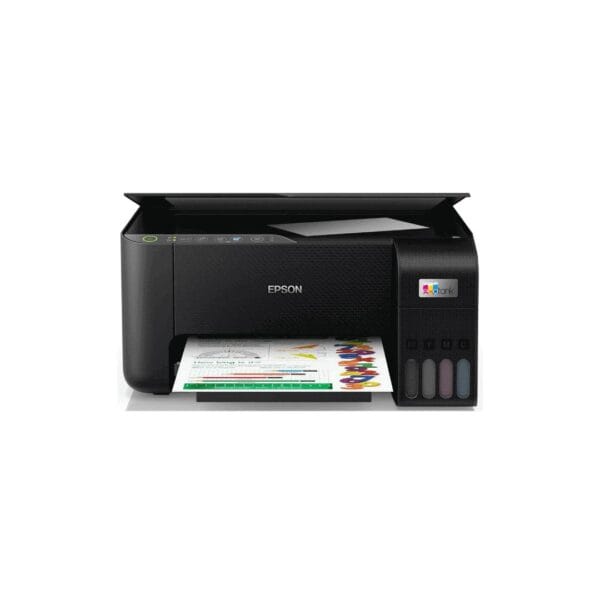
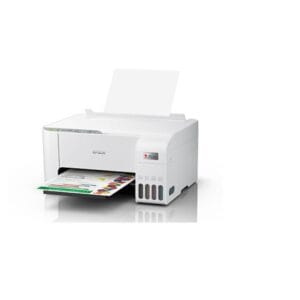
The Epson EcoTank L3250 A4 Wi-Fi All-in-One Ink Tank Printer is a versatile and economical printing solution designed for homes, small offices, and businesses that need reliable everyday printing. It combines printing, scanning, and copying in one compact device, while its high-capacity EcoTank ink system helps reduce printing costs compared with traditional cartridge-based printers. With Wi-Fi connectivity, you can conveniently print wirelessly from compatible computers, smartphones, and tablets. Its compact design, easy-to-use controls, and efficient ink-tank system make the L3250 a practical choice for users looking for affordable, convenient, and reliable A4 color printing.
Key Features
Print, Scan & Copy – A versatile 3-in-1 multifunction printer that allows you to print documents and photos, scan paperwork, and make copies from a single compact machine.
High-Capacity EcoTank System – Instead of traditional ink cartridges, the L3250 uses refillable ink tanks. This provides a larger ink capacity and helps reduce the frequency and cost of ink replacement.
Easy Ink Refilling – The dedicated ink tanks and refill bottles make topping up the printer straightforward, while the transparent tank design helps you monitor remaining ink levels.
USB Connectivity – A USB connection is available for users who prefer a direct wired connection between the printer and a computer.
Wi-Fi Connectivity – Built-in Wi-Fi allows you to connect the printer to your wireless network and print conveniently from compatible computers, smartphones, and tablets without needing a direct cable connection.
What’s in the Box
- Epson EcoTank L3250 Printer
- Power Cable
- USB Cable
- Setup/Installation Guide
FAQS
What functions does the Epson EcoTank L3250 perform?
The L3250 is an all-in-one printer that can print, scan, and copy documents and images.
Is the Epson L3250 a color printer?
Yes. It is an A4 color inkjet printer suitable for both color and black-and-white printing.
Does the L3250 use ink cartridges?
No. It uses Epson’s refillable Eco Tank ink-tank system, which is designed to provide a lower cost per page than conventional cartridge printers.
Can I print from my phone?
Yes. The L3250 supports wireless printing from compatible mobile devices using Epson’s supported mobile printing solutions.
Does it support A4 paper?
Yes. The L3250 is designed primarily for A4-size printing and also supports various smaller paper sizes and media types.

Reviews
There are no reviews yet.