
Efficiency Starts Here
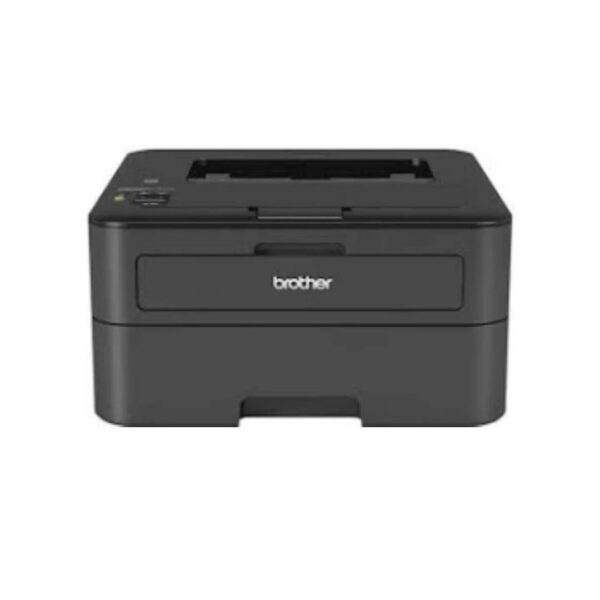
The Brother HL-L2365DW Mono Laser Printer is a reliable and efficient black-and-white laser printer designed for home, office, and small-business use. It delivers fast printing speeds of up to 30 pages per minute (A4) and supports automatic two-sided (duplex) printing, helping to save both time and paper. With a print resolution of up to 2400 × 600 dpi (HQ1200), it produces sharp, professional-looking text and documents. The printer also features a 250-sheet paper tray and supports wireless connectivity, making it convenient to print from computers and mobile devices. Its compact design, fast performance, and economical monochrome printing make the HL-L2365DW a practical choice for everyday document printing.
Key Features
Key Features – Brother HL-L2365DW
Monochrome Laser Printing – Produces sharp, professional-quality black-and-white documents.
Fast Printing Speed – Up to 30 pages per minute, ideal for busy offices.
Automatic Duplex Printing – Prints on both sides of the paper to reduce paper usage and costs.
High Print Resolution – Up to 2400 × 600 dpi for clear and detailed text.
250-Sheet Paper Capacity – Reduces the need for frequent paper refilling.
Wireless Connectivity – Conveniently print from computers and compatible mobile devices.
Compact Design – Fits easily into home offices and workspaces.
Cost-Efficient Printing – Designed for economical everyday document printing.
Reliable Performance – Suitable for regular business, school, and home printing needs
What’s in the Box
- Brother HL-L2365DW Mono Laser Printer
- Starter Black Toner Cartridge
- Drum Unit
- AC Power Cord
- Installation/Setup Guide
- User Guide / Documentation
- Warranty Information
FAQS
Does the printer support wireless printing?
Yes. The HL-L2365DW supports Wi-Fi connectivity, allowing you to print wirelessly from compatible computers and mobile devices.
Does it support automatic double-sided printing?
Yes. It features automatic duplex printing, helping reduce paper consumption.
What paper capacity does it have?
The printer has a 250-sheet standard paper tray, reducing the need for frequent paper loading.
Can it print in color?
No. The HL-L2365DW is a monochrome printer and prints in black and white only.
What type of toner does it use?
It uses a Brother black toner cartridge designed specifically for the HL-L2365DW series.

Reviews
There are no reviews yet.